
Student Progress knows exactly where your students are losing marks
Using Instant Question Level Analysis (QLA), Student Progress turns assessment data into clear actions — automatically setting personalised work to improve results. Built with Leigh Academies Trust and proven across 20,000+ students.

Designed and trusted by teachers

Assessment data shouldn't hide in spreadsheets
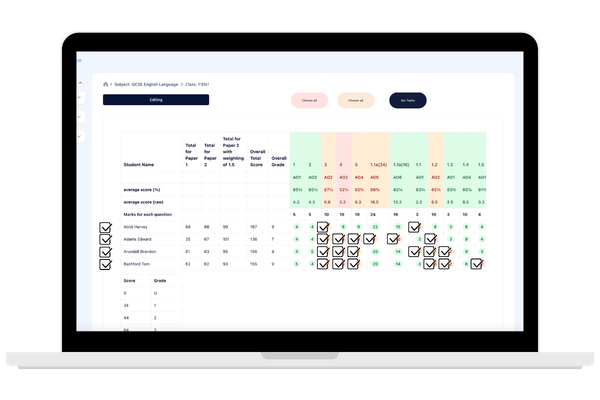
After every mock or assessment, teachers spend hours analysing results, identifying gaps, and planning interventions, often with limited impact and even less time:

Gaps identified too late
Interventions not targeted enough
Marking and analysis increase workload
Students don’t act on feedback
Turns every assessment into instant action
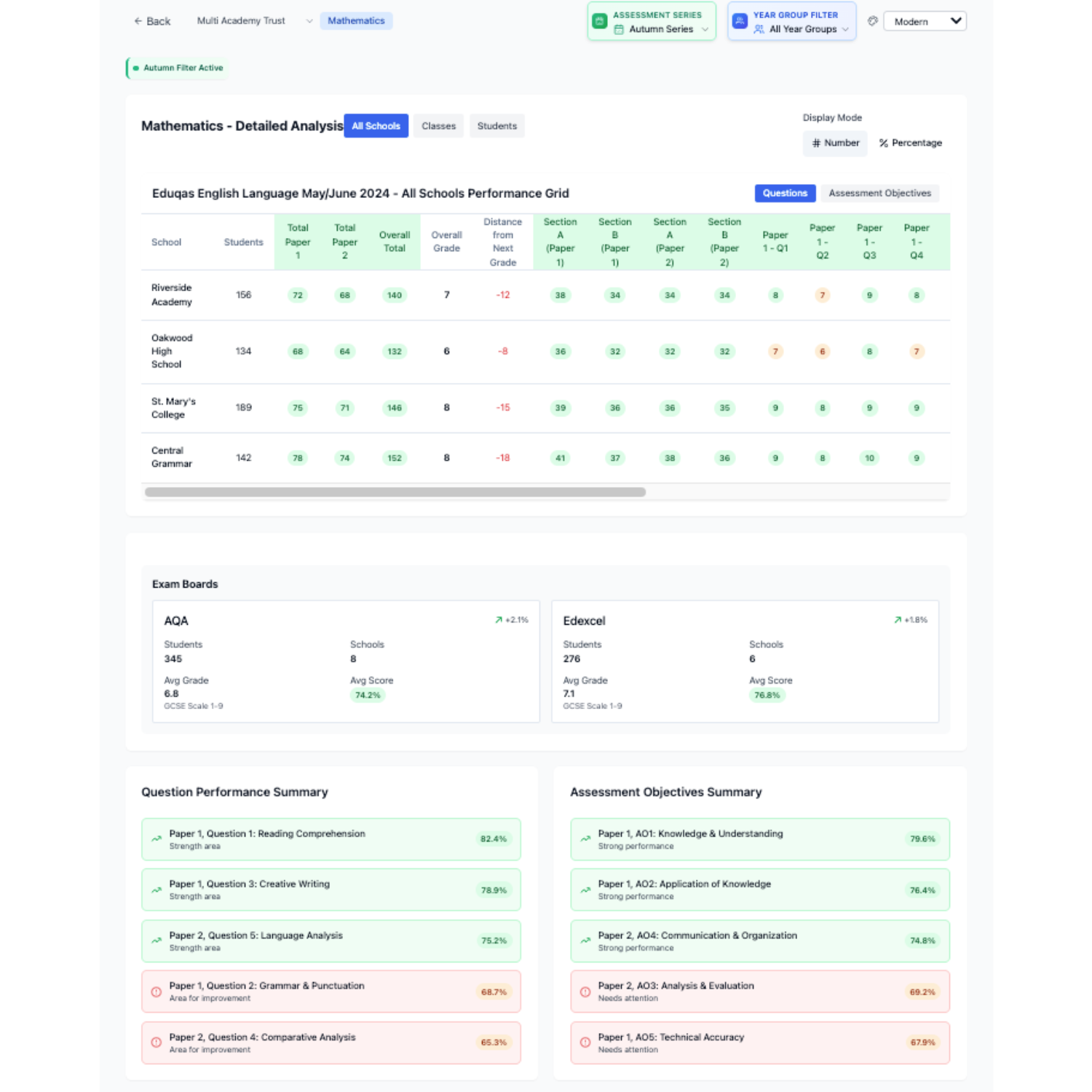
Student Progress transforms your exam and assessment data into instant insights and targeted next steps without adding to teacher workload:
Instant Question Level Analysis (QLA)
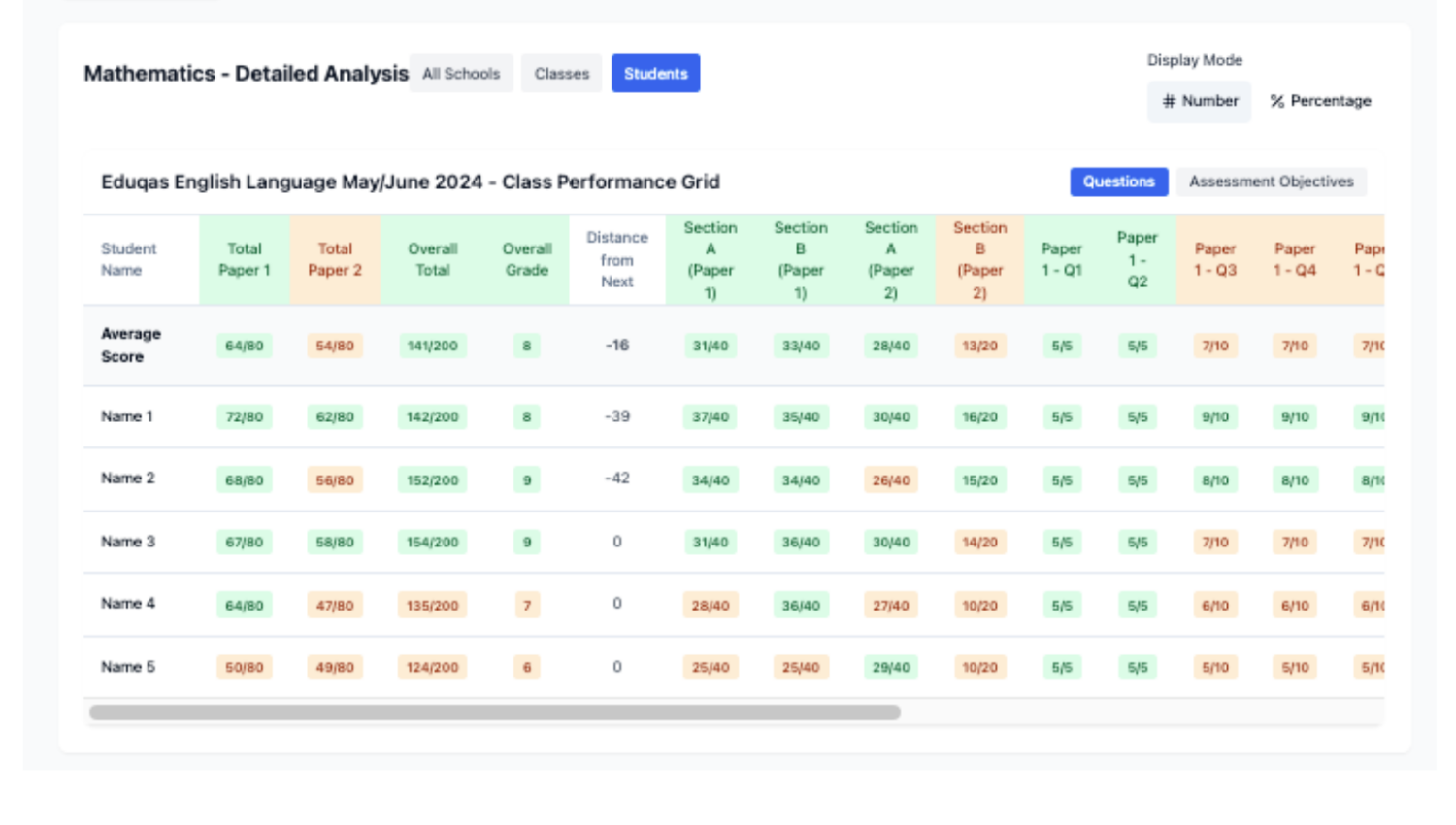
Heatmaps of strengths and gaps
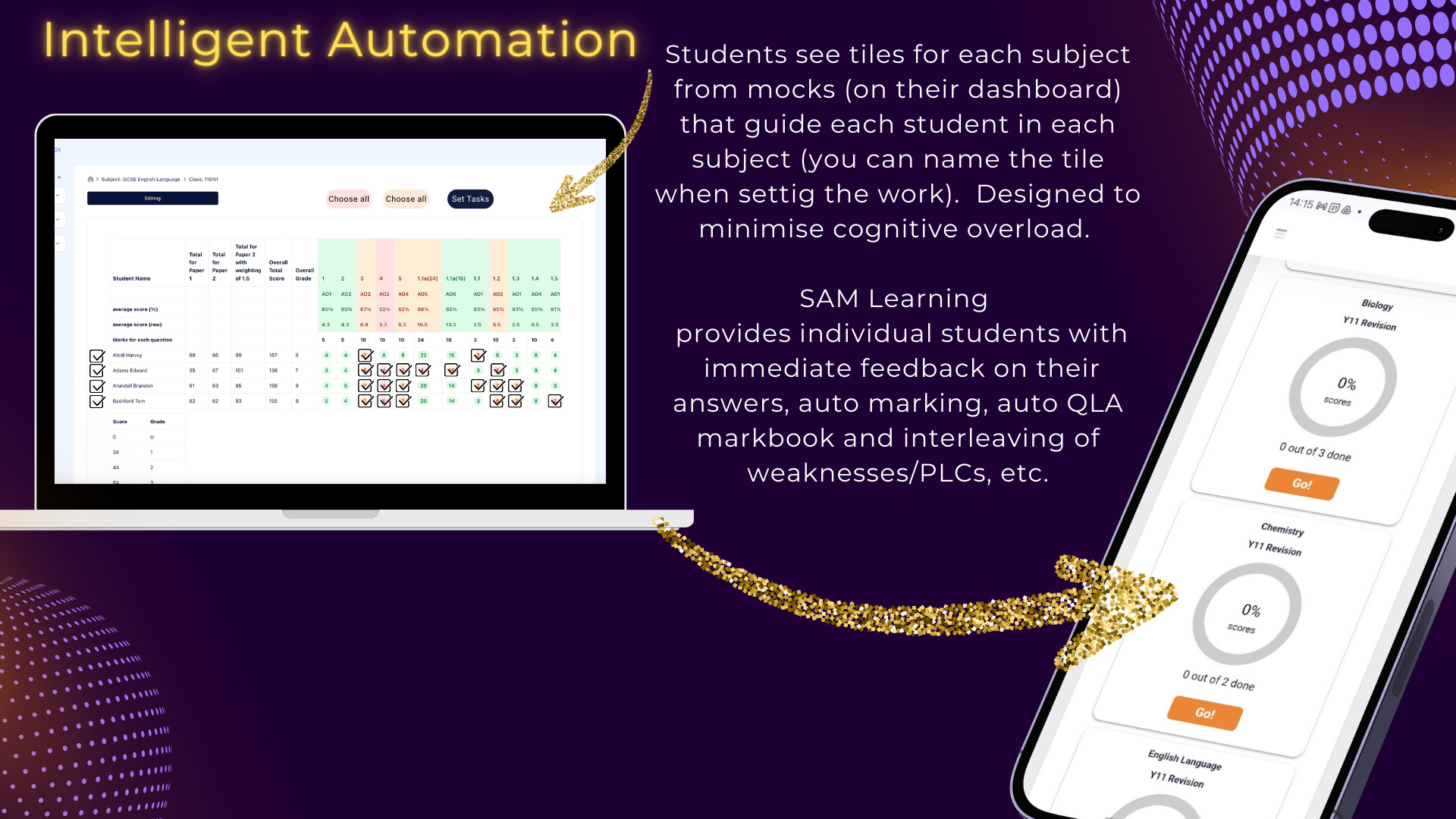
Automatic task setting for intervention
Live markbooks with no manual tracking
How it Works
1. Input data
Upload or enter assessment results into live markbooks
2. Instantly identify gaps
See strengths and weaknesses with clear QLA heatmaps
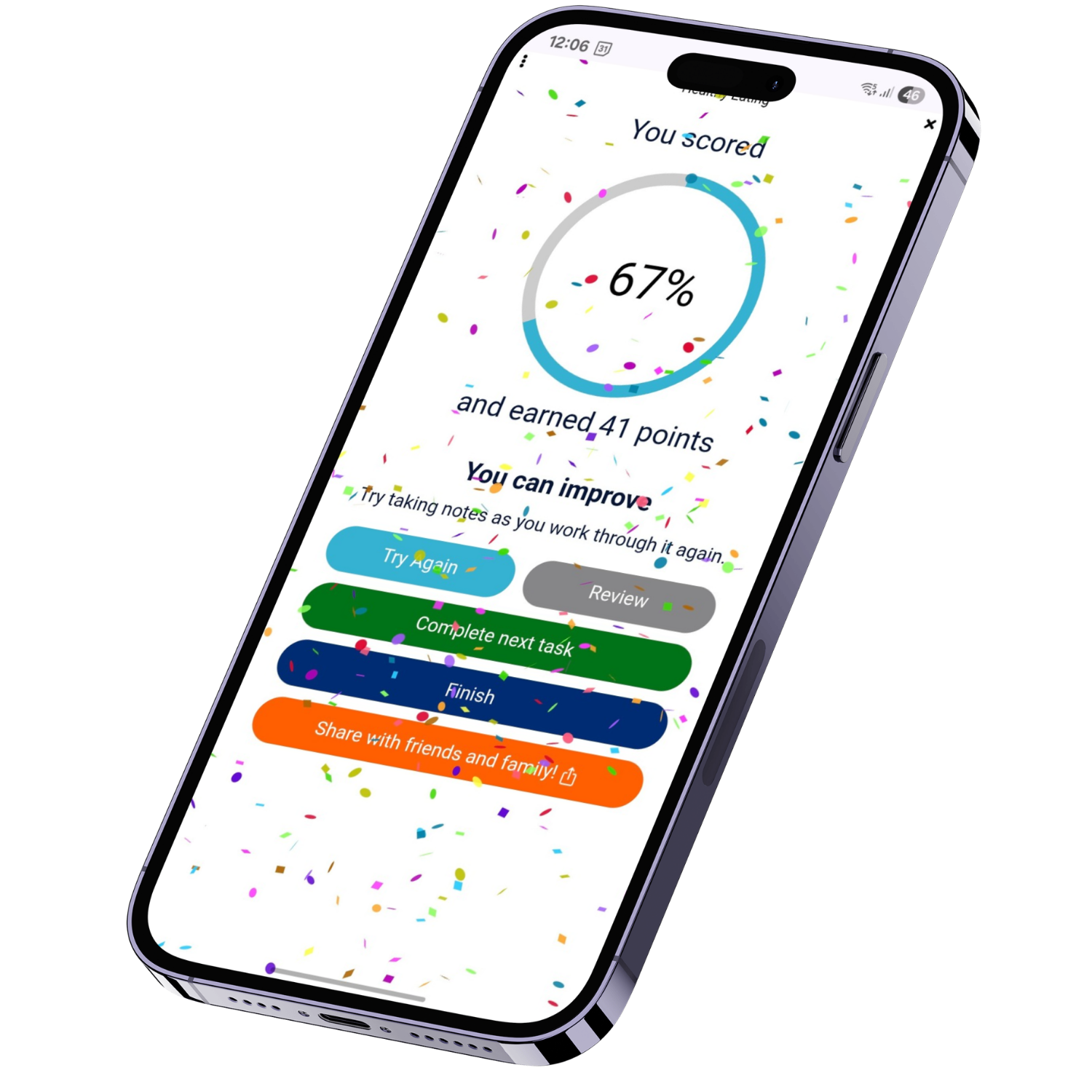
3. Automatic intervention
Personalised work is set for each student to close gaps
Impact across your school and trust
Teacher impacts
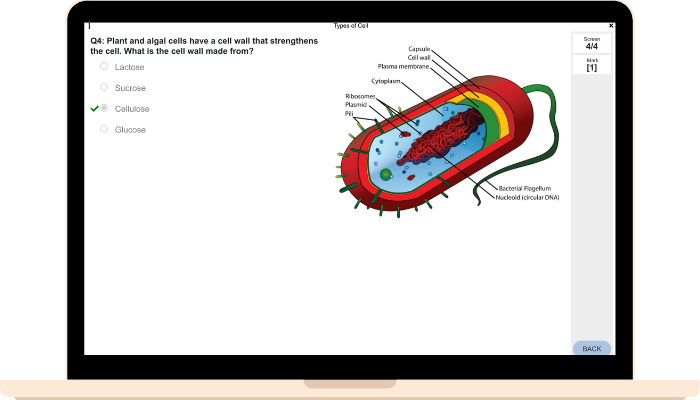
No marking – everything auto-marked
Instant insight into gaps
Save hours on analysis
SLT & Trust insights
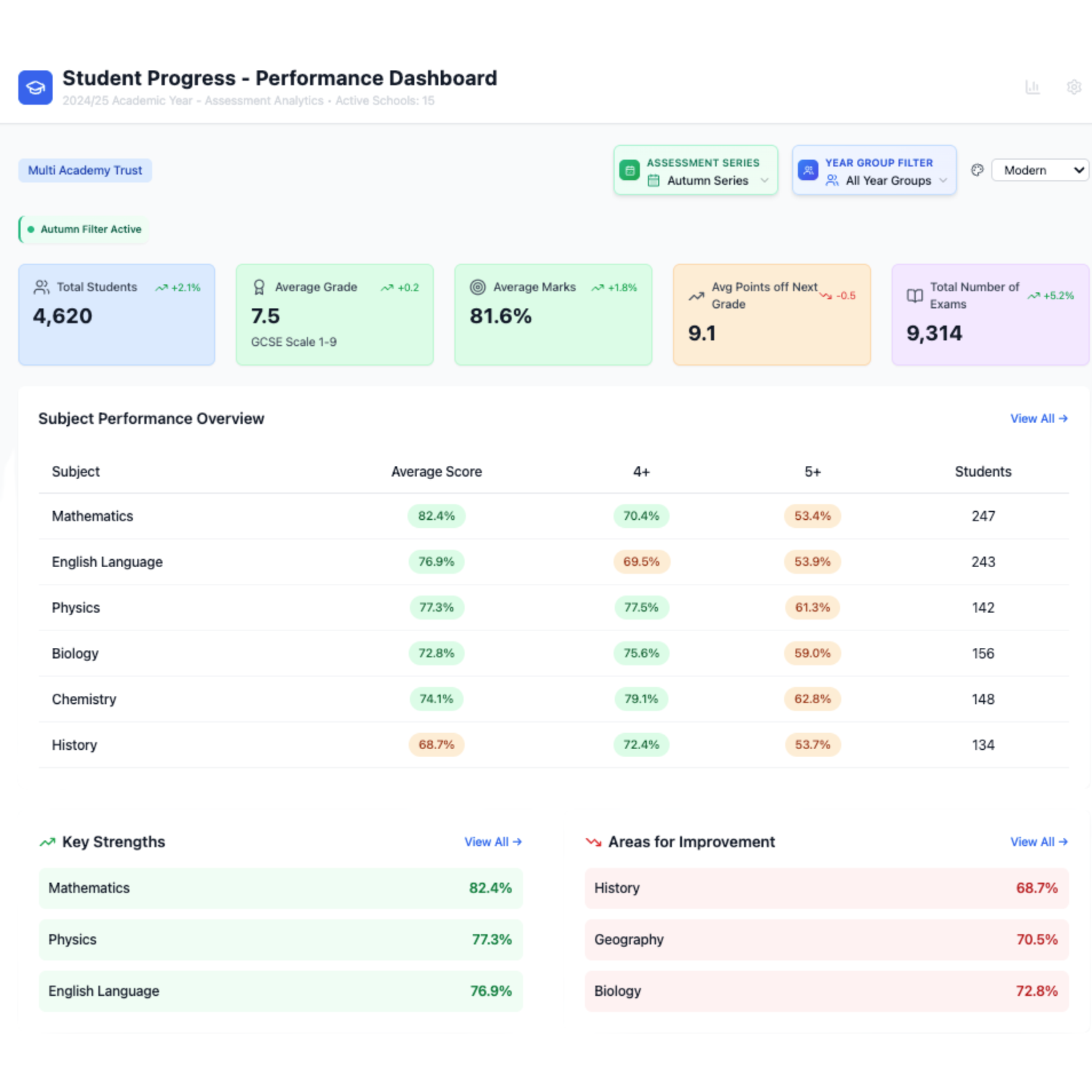
Standardised QLA across departments
Centralised data and reporting
Identify trends quickly
Student experience
Immediate feedback
Personalised revision
Clear next steps to improve
“QLA helps us identify gaps instantly and target intervention effectively—without increasing workload.”
Most tools show you the problem. Student Progress solves it.
Not just analysis ➡ automatic intervention
Not just reports ➡ personalised student work
Not just data ➡ measurable improvement